- Python 96.3%
- Jinja 3.6%
|
|
||
|---|---|---|
| .github/workflows | ||
| docs | ||
| droidrun | ||
| static | ||
| .dockerignore | ||
| .gitignore | ||
| .python-version | ||
| CONTRIBUTING.md | ||
| Dockerfile | ||
| gen-docs-sdk-ref.sh | ||
| LICENSE | ||
| MANIFEST.in | ||
| pyproject.toml | ||
| README.md | ||
| setup.py | ||
| SKILL.md | ||
| uv.lock | ||








Mobilerun is a cloud solution powered by Droidrun a powerful framework for controlling Android and iOS devices through LLM agents. It allows you to automate device interactions using natural language commands. Checkout our benchmark results
- 🤖 Control Android and iOS devices with natural language commands
- 🔀 Supports multiple LLM providers (OpenAI, Anthropic, Gemini, Ollama, DeepSeek)
- 🧠 Planning capabilities for complex multi-step tasks
- 💻 Easy to use CLI with enhanced debugging features
- 🐍 Extendable Python API for custom automations
- 📸 Screenshot analysis for visual understanding of the device
- Execution tracing with Arize Phoenix
📦 Installation
Note: Python 3.14 is not currently supported. Please use Python 3.11 – 3.13.
pip install droidrun
🚀 Quickstart
1. Install the portal on your device
droidrun setup
2. Configure your LLM provider
droidrun configure
This walks you through choosing a provider (Gemini, OpenAI, Anthropic, etc.), auth method (API key or OAuth), and model.
3. Run a command
droidrun run "open settings and turn on dark mode"
Read the full guide in our docs!
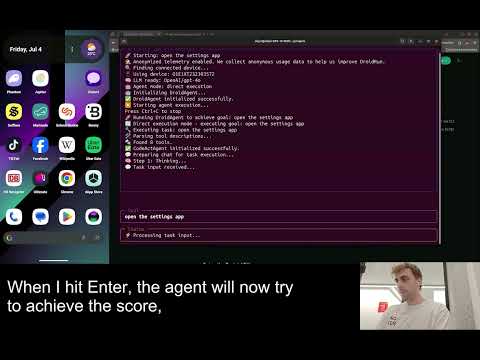
🎬 Demo Videos
-
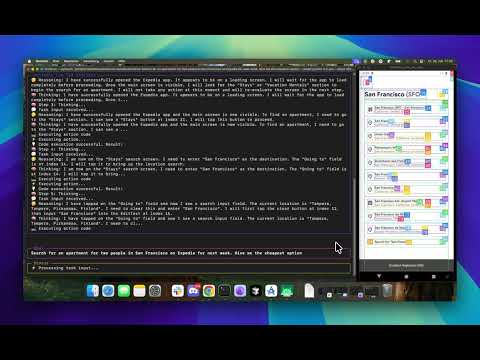
Accommodation booking: Let Droidrun search for an apartment for you
-
Trend Hunter: Let Droidrun hunt down trending posts
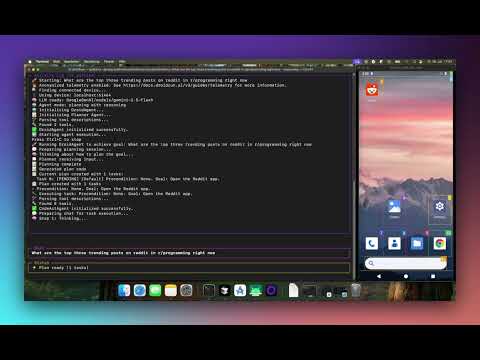
-
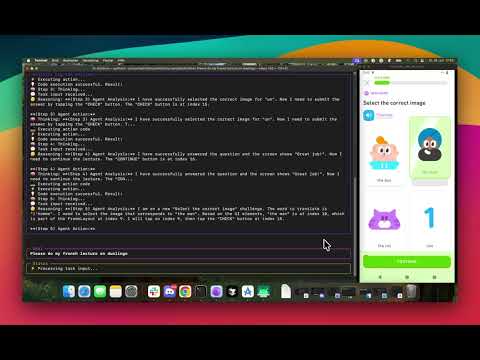
Streak Saver: Let Droidrun save your streak on your favorite language learning app
💡 Example Use Cases
- Automated UI testing of mobile applications
- Creating guided workflows for non-technical users
- Automating repetitive tasks on mobile devices
- Remote assistance for less technical users
- Exploring mobile UI with natural language commands
👥 Contributing
Contributions are welcome! Please feel free to submit a Pull Request.
📄 License
This project is licensed under the MIT License - see the LICENSE file for details.
Security Checks
To ensure the security of the codebase, we have integrated security checks using bandit and safety. These tools help identify potential security issues in the code and dependencies.
Running Security Checks
Before submitting any code, please run the following security checks:
-
Bandit: A tool to find common security issues in Python code.
bandit -r droidrun -
Safety: A tool to check your installed dependencies for known security vulnerabilities.
safety scan